This guide explains how to start and complete a Roadside Inspection in the Navistream Driver App when stopped by a CVSE or DOT officer. Using this feature ensures time spent on roadside inspection is accurately tracked and that required logs and inspections are made quickly accessible to an officer.
How to Start a Roadside Inspection
Step 1: Open the Delays Menu
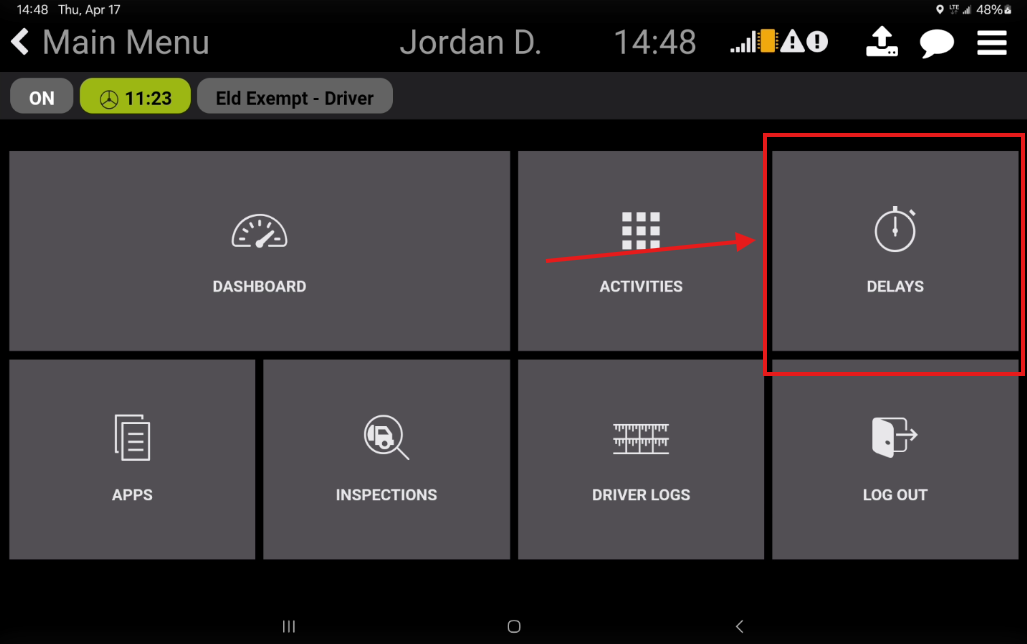
From the Main Menu
Select the Delays tile
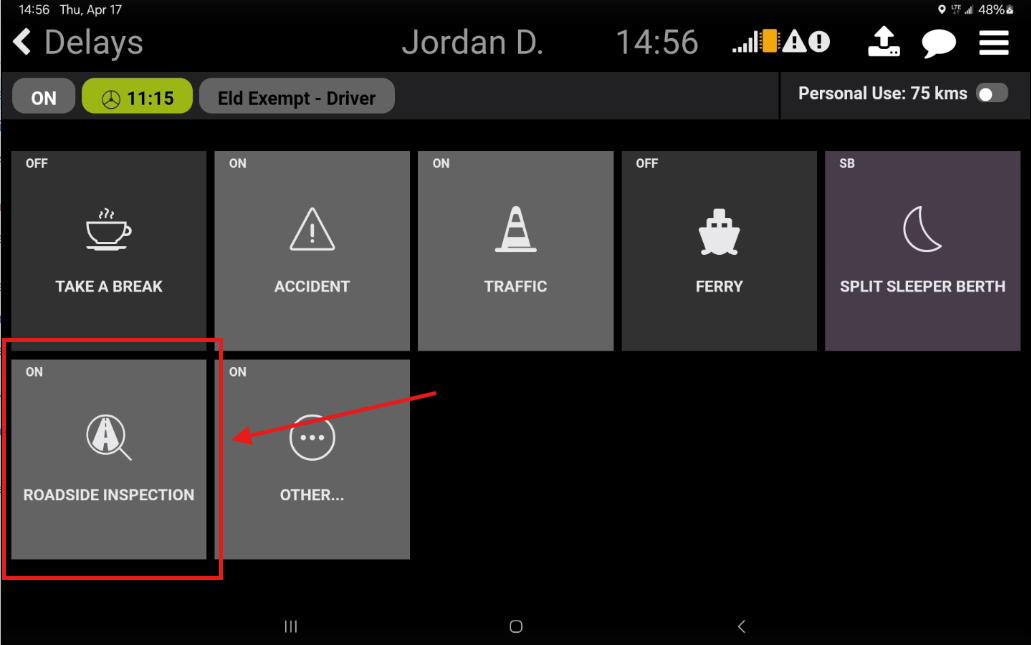
Step 2: Select Roadside Inspection
Tap Roadside Inspection
You will be placed into On-Duty status (or remain On-Duty if already set)
The Roadside Inspection screen will open
Step 3: Use the Roadside Inspection Screen
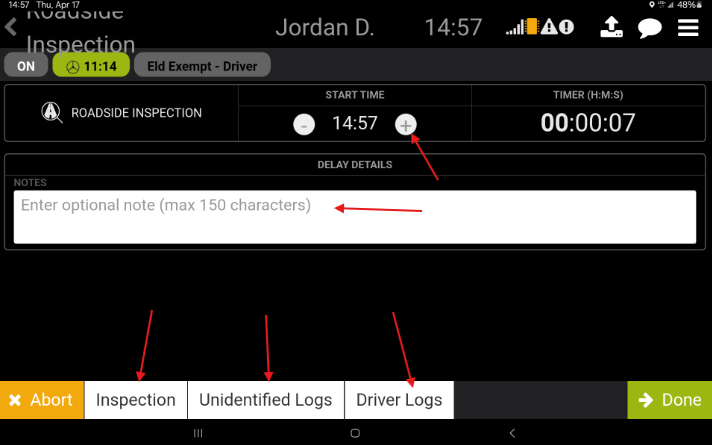
While the inspection is in progress, you can:
Adjust the start time of the roadside inspection to match the actual inspection start time (if started late)
View a live timer showing how long the inspection has been active
Enter comments related to the roadside inspection
View your most recent vehicle inspection
Access the last 14 days of:
Driver Logs
Unidentified Driver Logs
While on the roadside inspection page the tablet is locked down, so that only required documents are available for viewing. You can pass the tablet to the officer so they can review your documents. If the officer asks you to transfer your logs, please follow the procedure outlined in our Data Transfer Guide
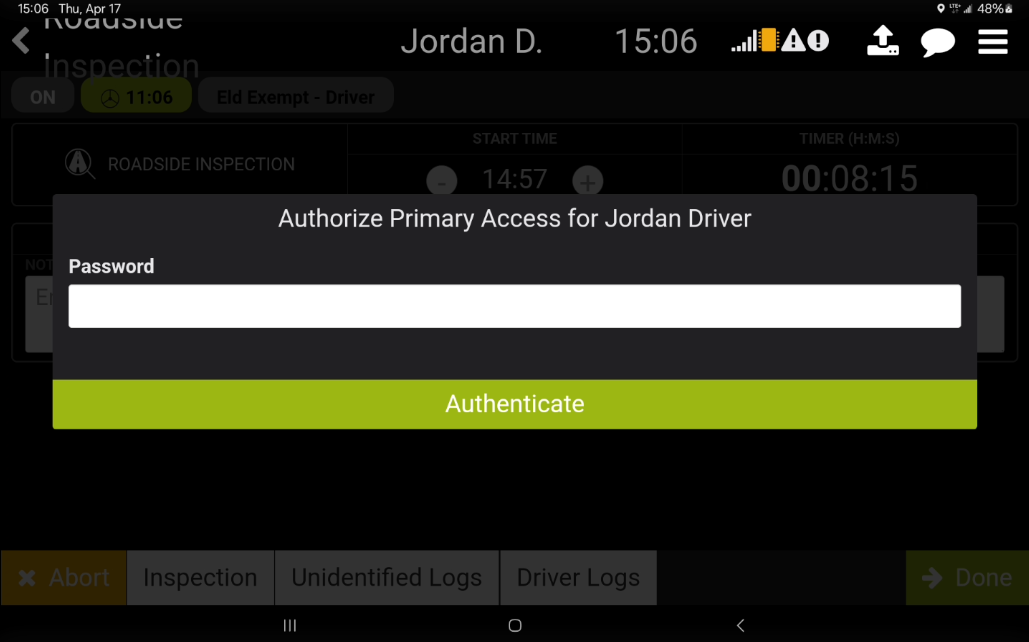
Once you have completed the Roadside Inspection, select Done. You will be asked to enter your password. Once your password has been entered, you will be taken back to the Delays screen and can proceed with your shift.