
We have released and are testing a new report called the “Defects Summary Report” that we would like to introduce. This new tool allows the users with Super Admin, Mechanic, Manager, and Dispatch access to view, and send custom periods of time worth of vehicle defect details via email.
Please note that this report is currently still in testing stages. Should you encounter any issues, please contact Navistream Support.
To access this new feature, go to mynavistream.com, navigate to the Reports Tab, then look under the "Inspections" option to locate "Defects Summary Beta". This report is also accessible on the left hand column under "Inspections".
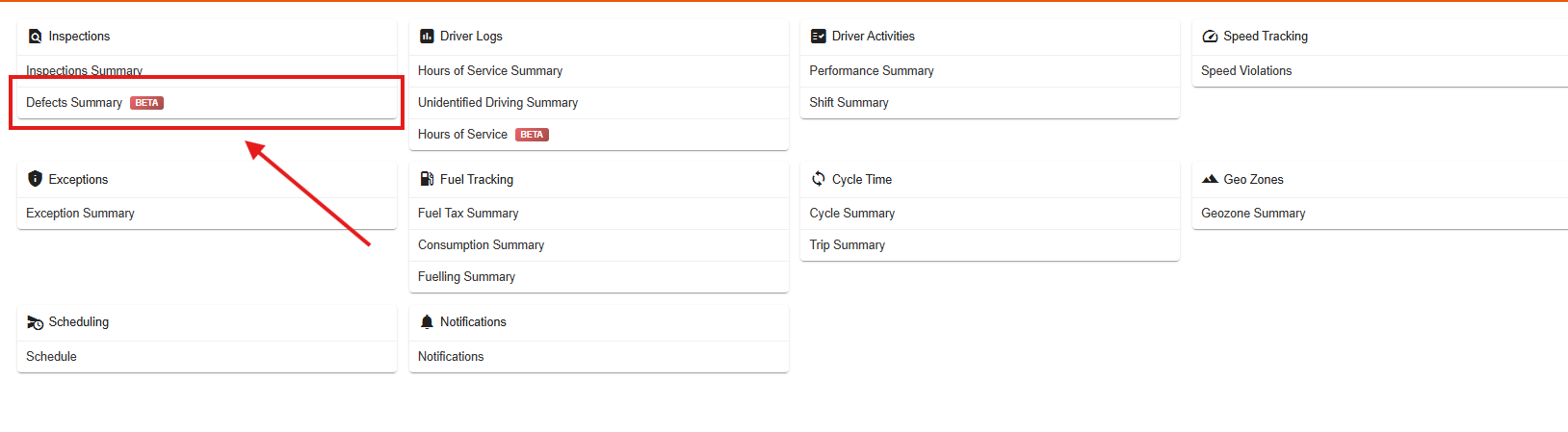
The report is composed of 4 sections:
Query
Quick Filters
Insights
Data Table
1. Query
In this section, you are able to select organization(s), Vehicles, and specify a date range for the query. Once the desired data, and ranges are selected, you can click on "Get Defects". This will populate the Data Table on the bottom of the page.

The new "Hours of Service Report", and "Defect Summary Report" share the new Query options.
This means that in the Query section, the search results do not update automatically in real-time when filter criteria are changed. You must click "Get Defects" to apply your updates and refresh the table.
2. Quick Filters
This section allows you to filter out the results from the above query. These filters are:
Severity: Select all, or specify between Minor, and Major defects.
Repaired Status: Options for "Repaired", "Not repaired" or "All".
System/ Component: Filter out the desired vehicle’s systems, or components within your organization’s entire inspection pool. Note that you can choose multiple systems/ components within from the list.
More than x days defective: Specify the desired defected period for vehicles.
Reported By: Choose which of your Drivers reported the defect diagnostics. Note that you can choose multiple drivers within your organization.
Last Changed By: Filters the Dispatch, Manager, Mechanics, or Super Admin users that were the last user to make changes on Defects.
Changed On: Choose a date that changes were made to a defect diagnostics.

Please note that this section is in real-time, and changing the filters will impact the Data Table automatically.
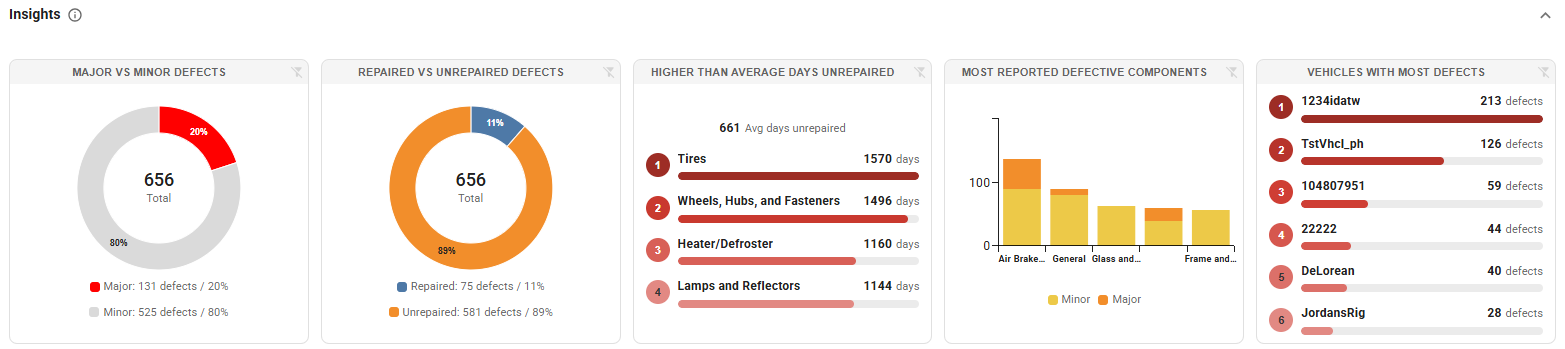
3. Insights
This is a new section that gives you visual insights about the Vehicle Defects you have queried. For example the insights may show the most common defective component in your vehicles, or the vehicle with the most defects
4. Data Table
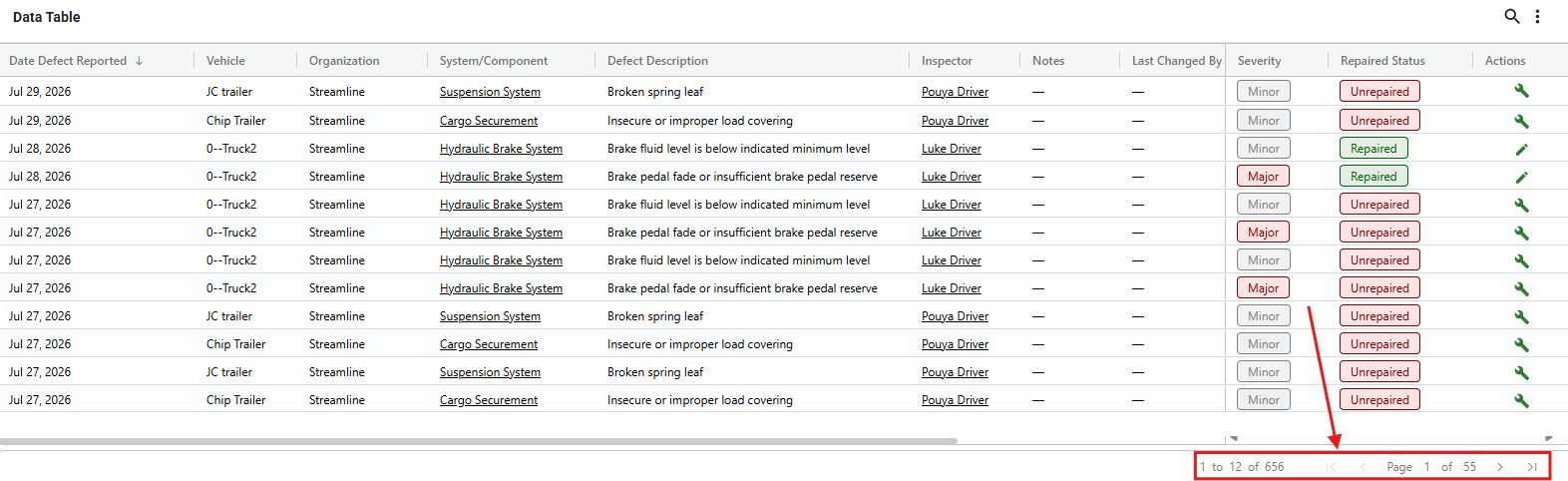
This table is similar to the previous Navistream reports with one exception. There are now pages, since the table can only show 12 rows of data at a time on each page. To navigate between pages, simply click the arrows indicated at the bottom of the Data Table to move between any and all pages. You can also sort any column, simply by clicking on any desired column's title (For example, clicking the "Date" will sort the entire table by earliest, or latest date, Or clicking on "Vehicle" will alphabetically sort the table by Vehicle Names).
You also have the ability to edit, and switch between Repaired/ Unrepaired statuses under the “Actions” column of the Data Table, which is the furthest right column of the table. You can make edits to each defect simply by clicking on the Wrench (For defects that are currently in “Unrepaired” status), or the Pen (for defects that are currently in “Repaired” status).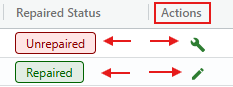
You will then have the option to add notes to this change (Which will ultimately appear on the “Notes” column of the Data Table). Click on “Save Changes” to apply your edits. 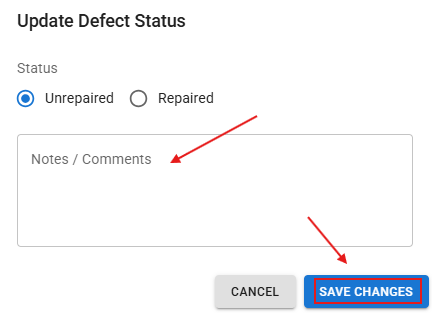
The results will update the Data Table, and Insights sections in real-time.
If you have any questions or issues with the Defect Summary Report, please contact Navistream Support.
Navistream Support
1(844)571-8200 EXT 2
navistream@stti.ca