
Your Navistream tablet uses a cellular connection to securely transmit your logs and driver data to mynavistream.com. If you suspect your tablet is offline or if you would like to verify your connection, follow these steps to verify your connection status and get back online.
Navigate to the ELD Status screen from any menu (Note: This screen is inaccessible while the vehicle is in motion). Simply select the icons indicated in the screenshot below to open the ELD Status Screen.
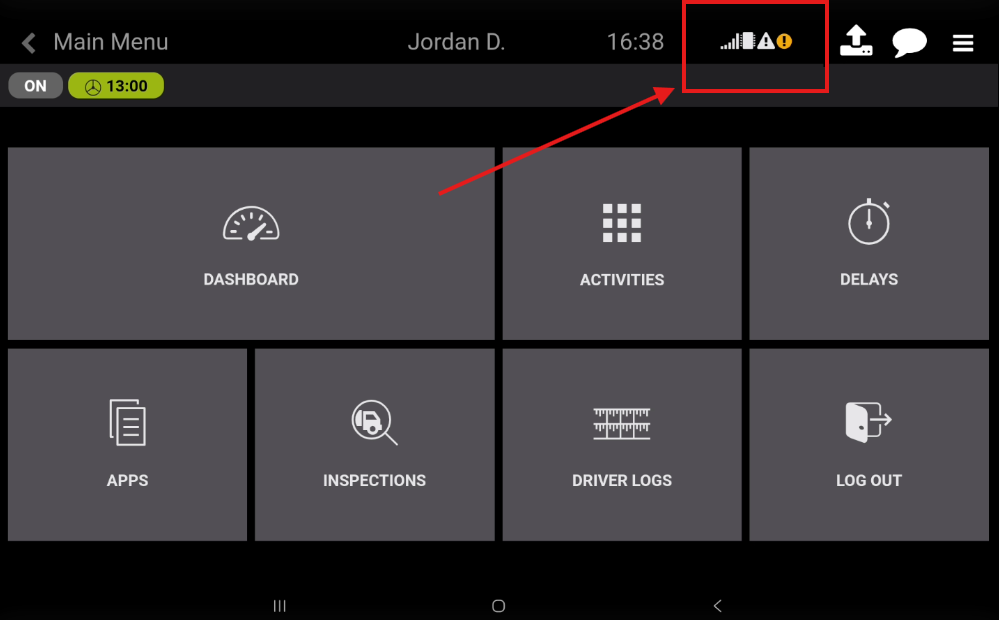
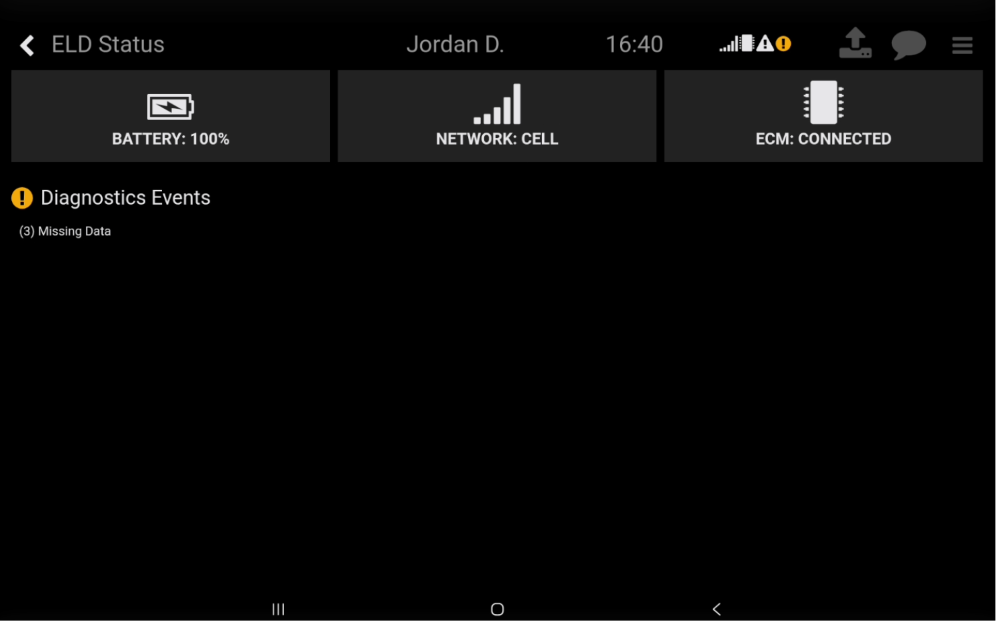
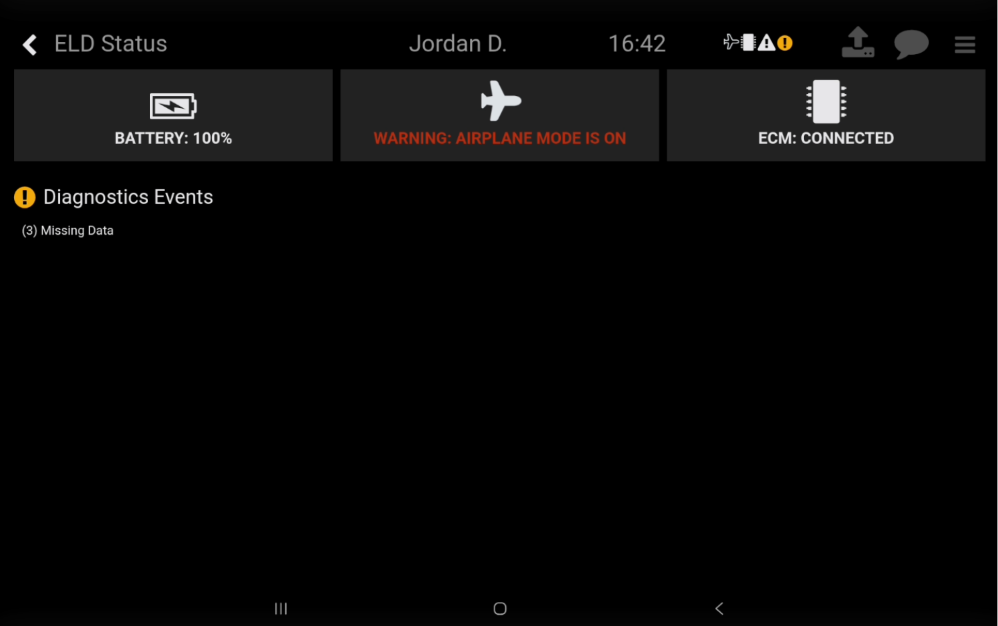
The ELD status screen will show the battery, network connection and ECM connection status. Review the Network Status field, which will display one of the following:
Network: Cell – Connected via cellular data.
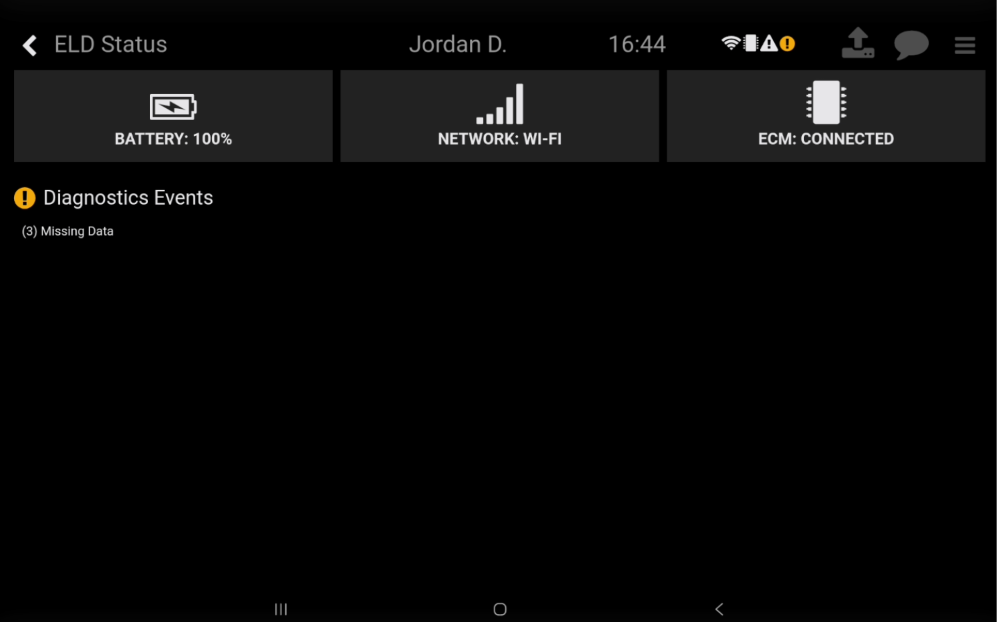
Network: Wi-Fi – Connected via Wi-Fi.
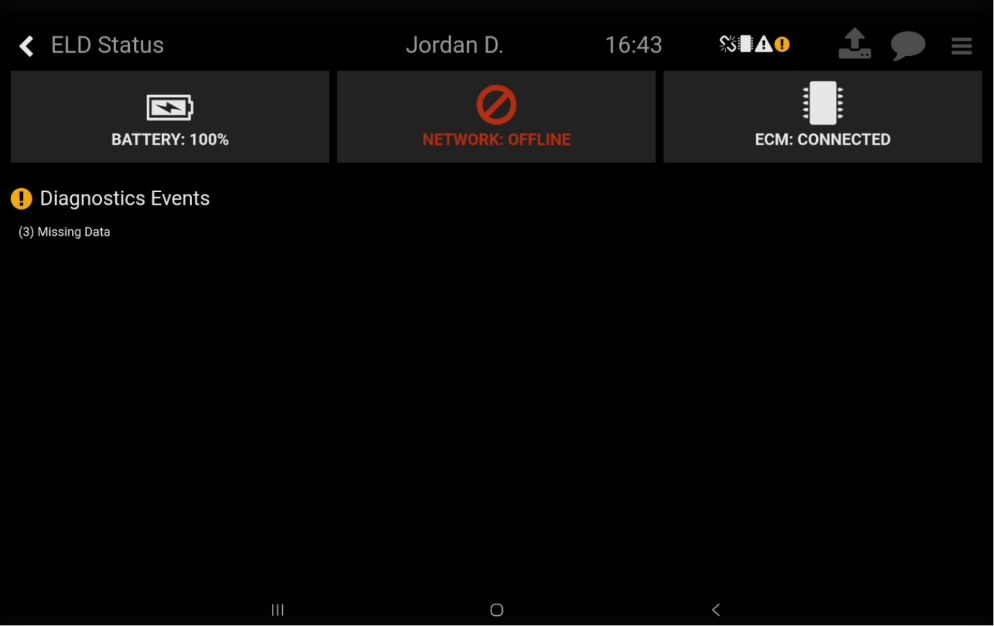
Network: Offline – Connection unavailable.
Warning: Airplane Mode is On – Connection disabled.
Troubleshooting an Offline Tablet
If the status displays Offline or Airplane Mode, and you are in an area known to have Network coverage:
Restart the tablet by pressing and holding the tablet's power button, then selecting the Restart option.
If the tablet continues to show Offline or Airplane Mode, please contact Navistream Support for further assistance.
If you have any other issues or questions, please contact Navistream Support.
Navistream Support
1(844)571-8200 Ext 2
navistream@stti.ca